
A small website optimization taught me a valuable lesson: fixing the details of your WordPress website matters, especially when you're building a stronger technical SEO foundation.
Sometimes, the most useful lessons in SEO come from fixing a problem on your own website. Recently, I worked on improving the author box on my WordPress website. What seemed like a small design issue turned into a practical learning experience in CSS, WordPress customization, website consistency, and checking Google Search results.
My goal was simple: make the author section look clean, professional, and consistent with the rest of my website. However, the author box wasn't displaying the way I wanted it to, so I needed to investigate the layout and find a reliable solution.
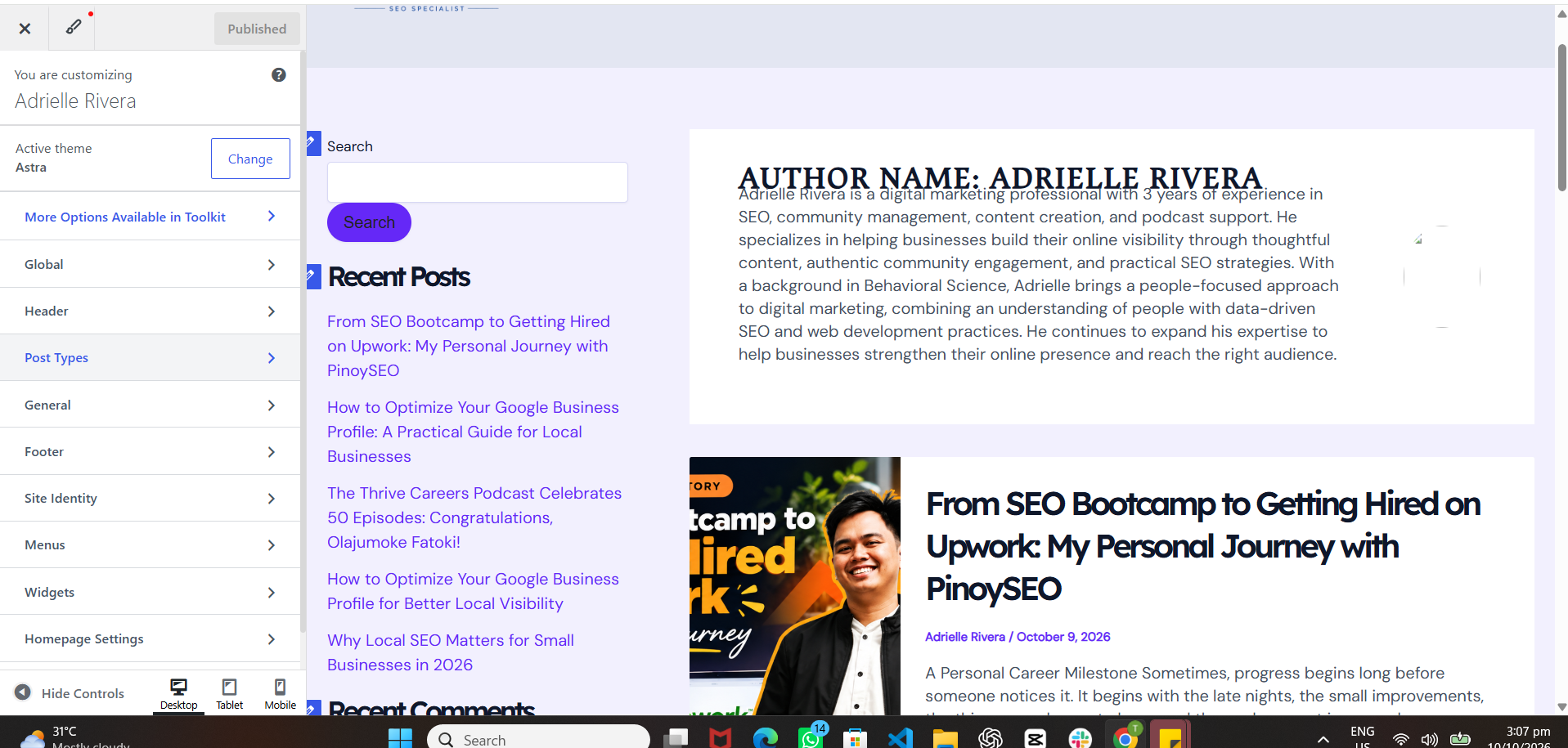
The Problem: My WordPress Author Box Wasn't Consistent
At first, I struggled because the author box wasn't fixed in the layout the way I expected. The author image and text didn't sit together properly, and the overall presentation didn't feel polished. I wanted the section to look intentional rather than like an element that had been placed wherever the theme allowed it.
Since my website runs on WordPress with the Astra theme and Elementor, I had to consider how the theme's existing layout and styles interacted with my customizations. I also needed to avoid changing unrelated sections of the website while fixing the author area.
My Solution: Custom CSS and Careful Testing
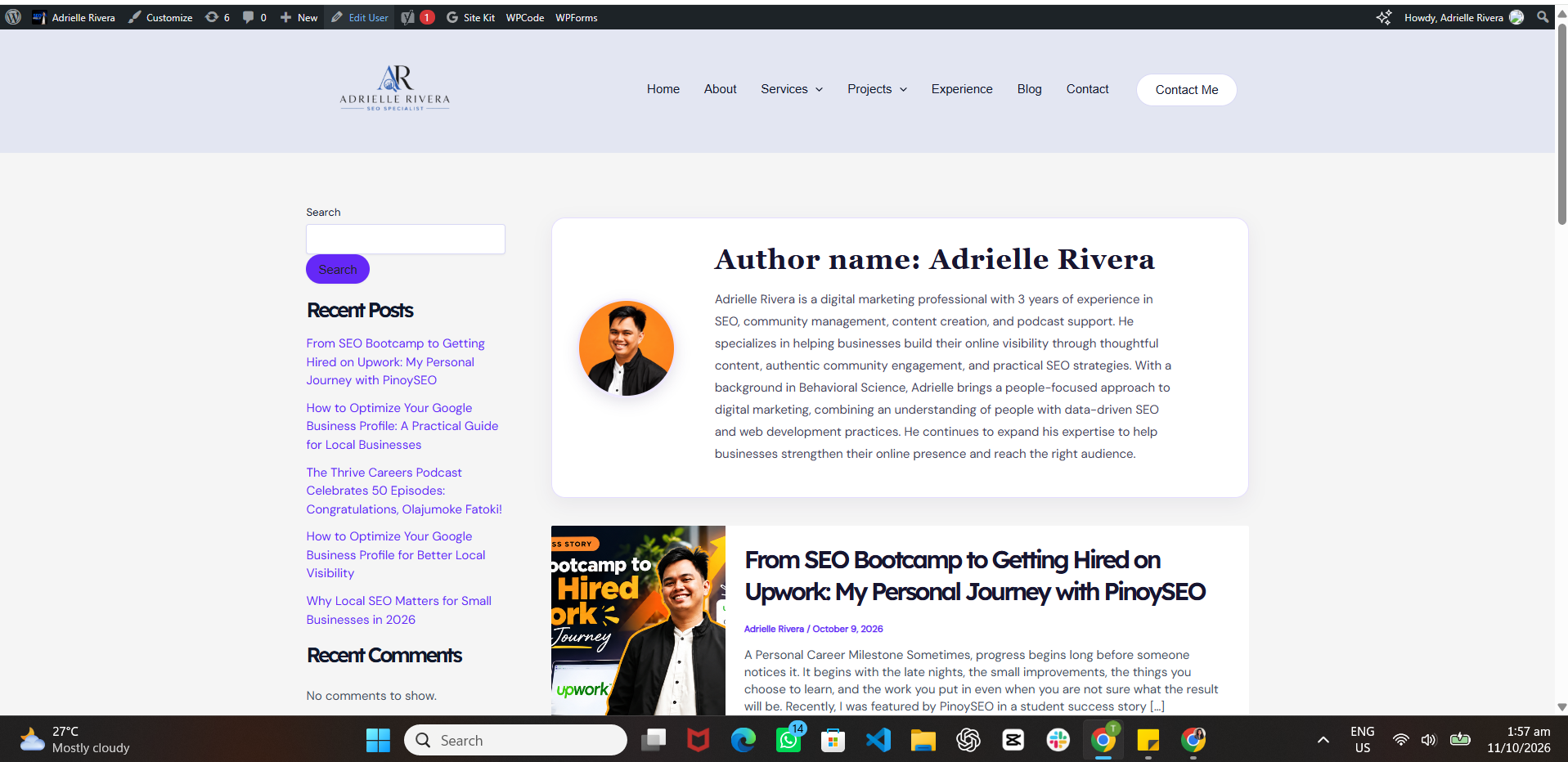
I used custom CSS to adjust the author box's layout and presentation. I worked on the spacing, image placement, alignment, and overall appearance so the author information would be easier to read.
I also checked the surrounding page elements, including the sidebar and blog content, to make sure the adjustments didn't create new layout problems. This was important because a change that looks good in one section can sometimes affect other parts of a WordPress page.
What My Web Development Internship Taught Me
One thing I'm grateful for is my Web Development Internship experience. It helped me understand why working with code, troubleshooting layout issues, and checking website navigation are valuable skills for someone working in SEO.
Technical SEO isn't only about running audits or looking at reports. It also involves understanding how a website is built, how its pages connect, how its elements are rendered, and how technical problems can affect the experience of visitors and search engines.
Being comfortable with basic HTML and CSS gives me another way to investigate website issues instead of relying entirely on a theme's default settings or a plugin to solve every problem.
Checking Google Search: A Small but Exciting Milestone
I started working on this optimization at approximately 3:26 PM on October 10, 2026. Later, at around 1:02 AM on October 11, I checked Google Search again and saw a result for my name and website.
That was an exciting moment because I had been actively improving my personal website and strengthening how I presented myself online. I also shared the moment with my friend May Yago, who helped me confirm what I was seeing in Google Search.
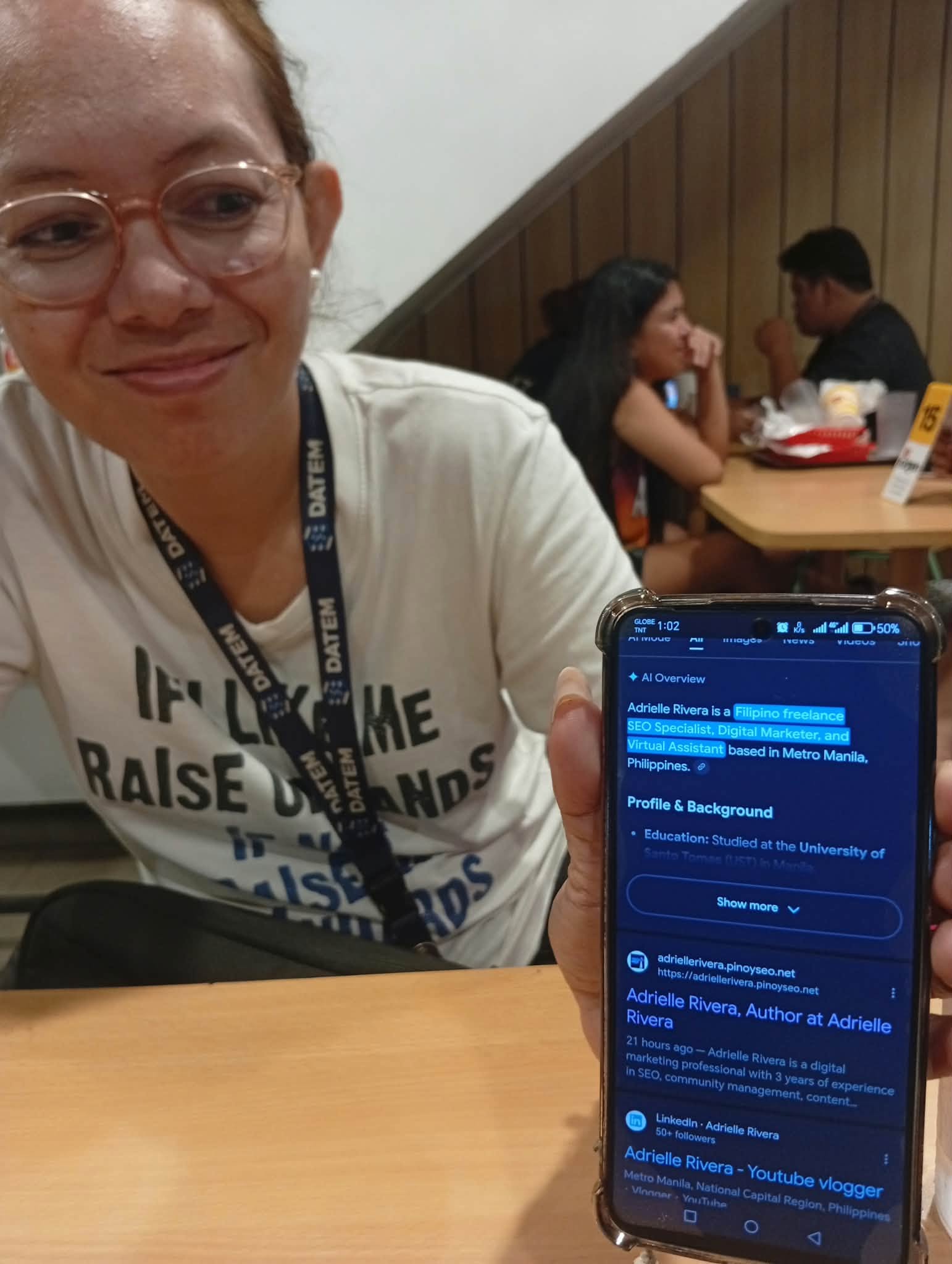
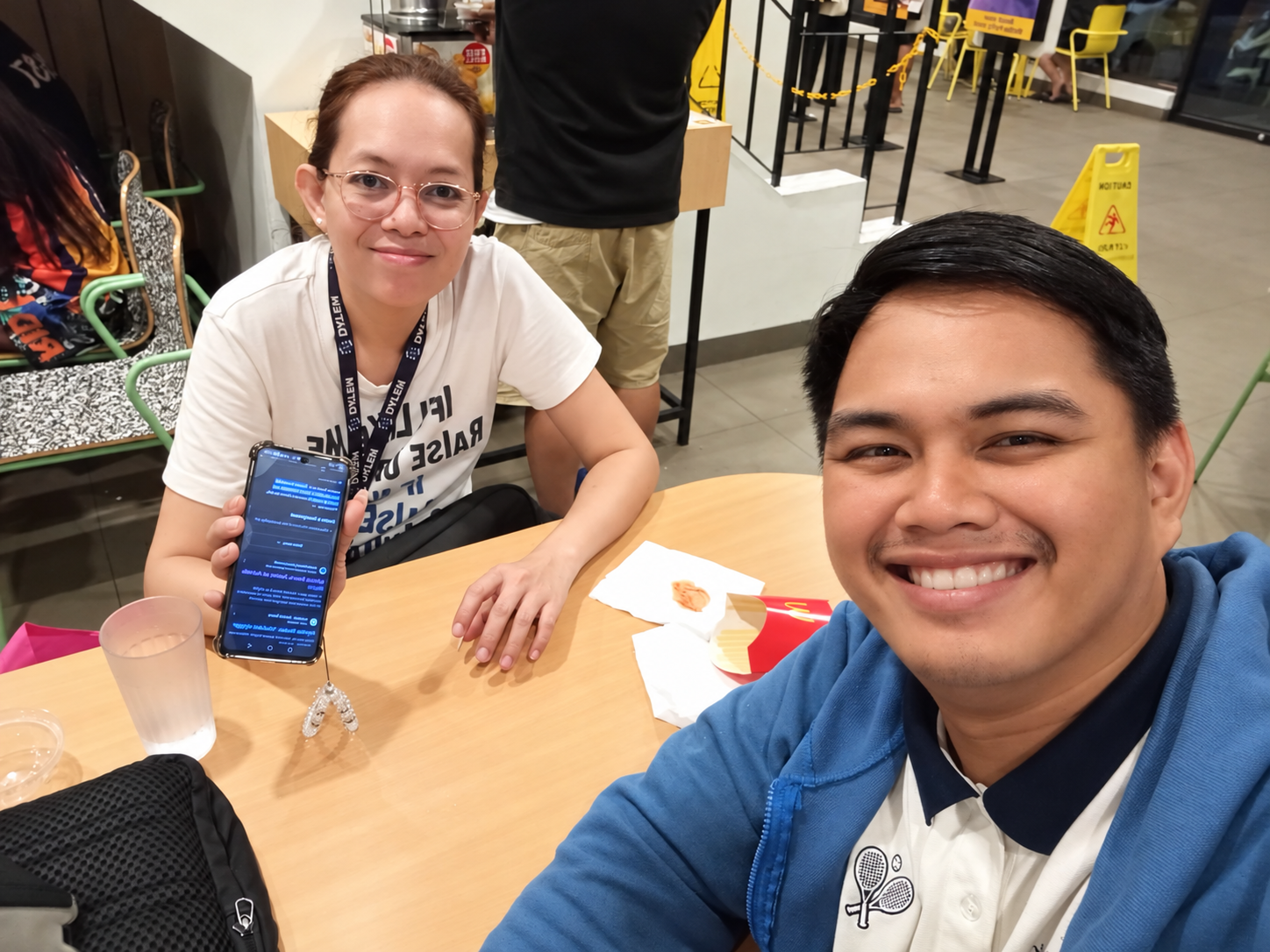
Important distinction: seeing a Google Search result was an encouraging observation, not proof that the CSS change caused Google to display my name. Search visibility depends on many factors, and a short time interval does not establish causation.
My Timeline: From Fixing the Layout to Checking Search
Why Small Website Optimizations Matter
This experience reminded me that website optimization is made up of many small improvements. A better author box might not directly improve rankings, but it can make a website look more professional, help visitors understand who created the content, and support a consistent experience across the site.
It also encouraged me to keep learning how WordPress themes, custom CSS, HTML structure, navigation, and search visibility work together. These are practical skills I can apply when investigating technical issues on other websites.
What I Would Check Next
- Responsive layout: check the author box on desktop, tablets, and mobile phones.
- HTML structure: confirm that headings, links, and author information are organized clearly.
- Image accessibility: use appropriate alternative text and optimize image sizes.
- Internal navigation: make sure visitors can easily reach relevant pages and articles.
- Search verification: use Google Search Console to inspect indexing status and monitor search performance over time.
- Change tracking: record what was changed and compare performance over a meaningful period rather than attributing a search result to one CSS adjustment.
My Biggest Takeaway
Even a small optimization can be a meaningful step toward building a better website. The key is to identify the actual problem, make a careful change, test the result, and keep learning from the process.
My Web Development Internship helped me appreciate how technical problem-solving supports SEO. My SEO Specialist Internship with PinoySEO.ph further strengthened my understanding of SEO practices and how to apply them to real website challenges.
A Special Thank You to May Yago
A big thank you to May Yago for helping me out, taking the time to confirm my Google Search result, and treating me to McDonald's. I truly appreciate the kindness, encouragement, and support.
Sometimes, it's the little things that make a milestone even more memorable. I'm grateful I got to share this moment with you!
Need Help Optimizing Your Blog or Local SEO?
Looking for someone who understands both the content and technical side of SEO? I can help you improve your blog structure, on-page optimization, WordPress presentation, and local SEO foundations.
My Web Development Internship helped me become more comfortable troubleshooting website layouts, code, and navigation. My SEO Specialist Internship with PinoySEO.ph strengthened my practical understanding of SEO. I bring these learning experiences together to approach website optimization with both users and search visibility in mind.
Whether you're a local business looking to strengthen your online presence or a website owner who wants a better-optimized blog, let's discuss how I can help.
This article documents my personal WordPress optimization experience. The screenshots show a visual before-and-after comparison and an observed Google Search result. They do not establish that the CSS changes caused indexing, ranking improvements, or increased traffic.

Adrielle Rivera is a digital marketing professional with 3 years of experience in SEO, community management, content creation, and podcast support. He specializes in helping businesses build their online visibility through thoughtful content, authentic community engagement, and practical SEO strategies. With a background in Behavioral Science, Adrielle brings a people-focused approach to digital marketing, combining an understanding of people with data-driven SEO and web development practices. He continues to expand his expertise to help businesses strengthen their online presence and reach the right audience.